 Sereno Routing guide
6. Planning a passage
Optional. The planner helps choose the day to leave. It screens several departure days on the weather ensembles, says which look good, watches the trip and then the one you pick, and builds its brief.
A route answers "how do I sail this passage if I leave at this time?" The planner answers "which day should I leave?" It sails your boat along one safe path for each departure day, on every member of two weather ensembles, and reports how many of those passages meet strong wind or rough seas. When you've chosen a day, route it for the full plan.
Turning on planning
New accounts start in Routing only, which hides the planner. To use it, open the web edition's Settings and choose Routing and planning at the top. On the Android app it's the Mode card, first in Settings. The Departures tab then appears beside Plan, and the Boat page's menu gains Watching and Briefs.
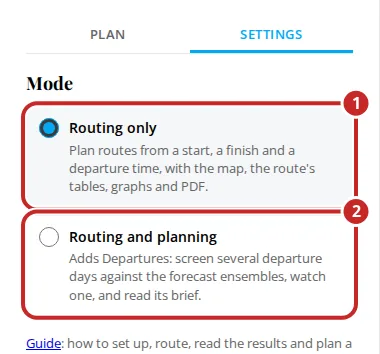
Switching back to Routing only hides the planner again. Your trips are kept for when you switch back, and a watched trip or day carries on being screened.
Making a trip
A trip is one passage screened over several departure days. In the web edition, open Departures and tap New trip.
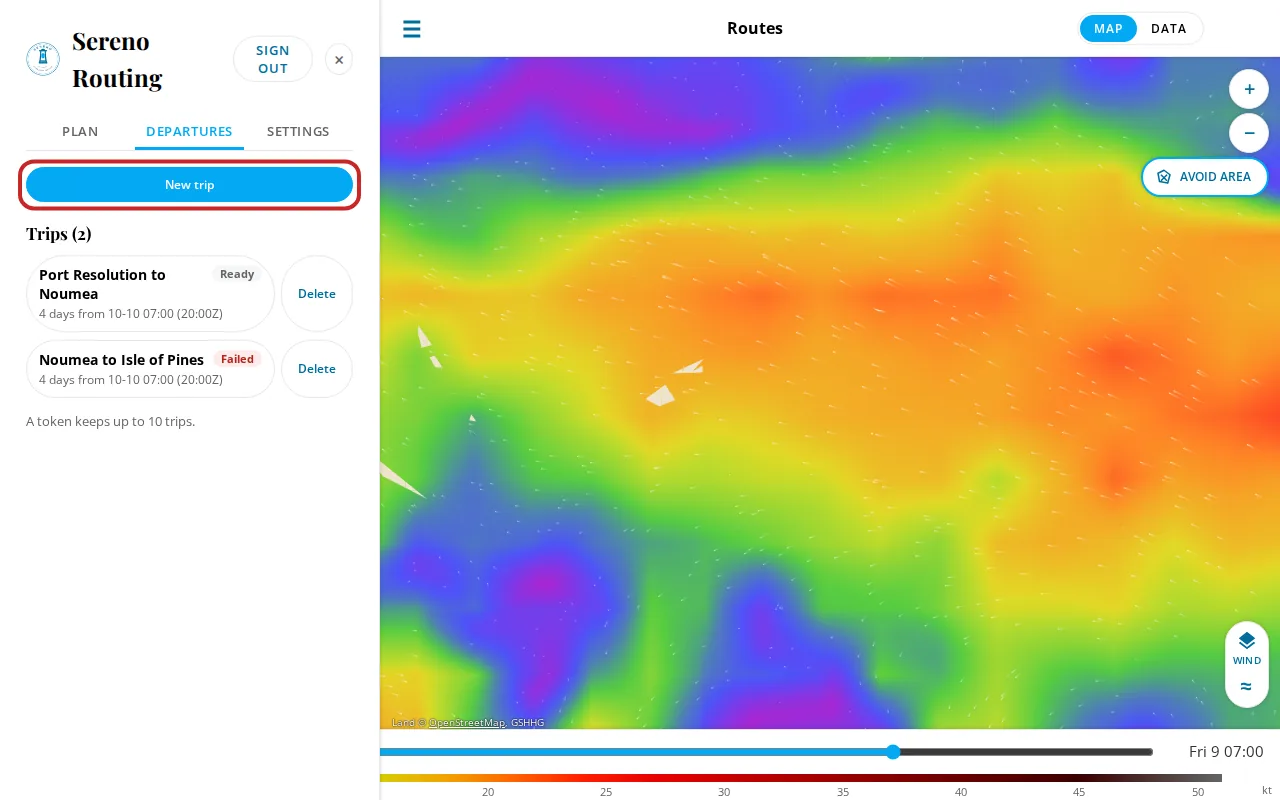
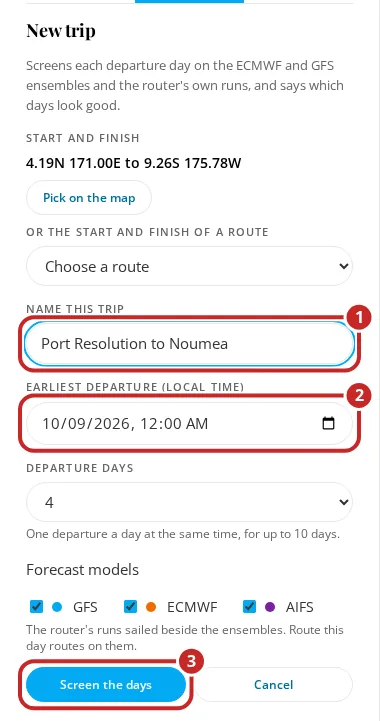
- Start and finish: tap Pick on the map, then tap the start and the finish. Or choose an existing route under Or the start and finish of a route. They must be 2 to 1,500 nm apart, or up to 5,000 nm where the router holds the climatology (see Long passages).
- Name this trip.
- Earliest departure (local time): the first day to screen, within the next 14 days.
- Departure days: how many days to screen, one departure a day at the same time, up to 10.
- Forecast models: GFS, ECMWF and AIFS are each sailed once beside the ensembles, for comparison.
- Tap Screen the days.
A box shows the screening's progress: the safe path round land, reef and shallows, fetching the ensembles along the way, then sailing each day. You can keep up to 10 trips; Delete beside a trip removes it and its screenings, and leaves any routes made from it.
The day cards and verdicts
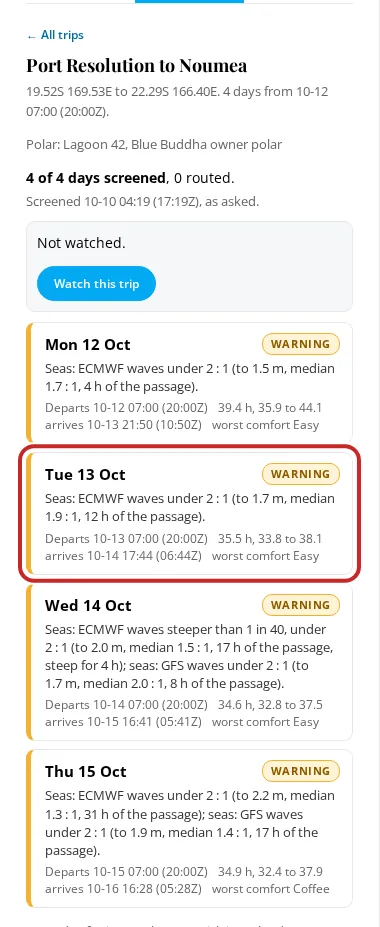
Open a trip to see a card for each departure day, with its verdict, the reason, and the numbers: when it departs, the median passage time and the range (35.5 h, 33.8 to 38.1 is the median, then the 10th to 90th percentile), the arrival and the worst comfort.
| Verdict | Means |
|---|---|
| GO | None of the rules below is met: fewer than 10% of the passages pass your wind or wave limit, fewer than 5% spend 3 h or more at Sick, and the median passage spends under 6 h at Rough or Sick. |
| WARNING | 10% or more of the passages pass a limit, or 5% or more spend 3 h or more at Sick, or the median passage spends 6 h or more at Rough or Sick. |
| NO | 20% or more of the passages pass a limit, or 10% or more spend 3 h or more at Sick. |
| No verdict | The forecast doesn't cover a full passage from this day yet, and the reason says so. |
The limits are the wind and wave limits you set in Settings, Boat, and the comfort levels are the ones the router rates every route with (Champagne, Easy, Coffee, Rough, Sick). A passage passes the wind limit when its strongest wind is over it, and the wave limit when its highest sea is over it. With no limits set the day is judged on comfort alone, and the reason starts No wind or wave limits set: judged on comfort.
The reason is one or two plain sentences, the deciding cause first, with heights in the unit you chose in Settings: 32% of passages pass your 25 kt wind limit from Sat 02:00. The median passage meets seas up to 12 ft and is Rough or worse for about 18 h. Each share is taken from each ensemble, and the larger counts. Where the two ensembles alone would give different verdicts, the reason names them: The ensembles disagree: ECMWF ENS says Go, GEFS says Warning. The period to height and the steepness of the seas don't decide the verdict; they're in the day's details. The three models sailed once each are listed beside the ensembles for comparison but don't vote, unless no ensemble covers the day, when they decide it. How the ensembles work is in Ensembles and spread.
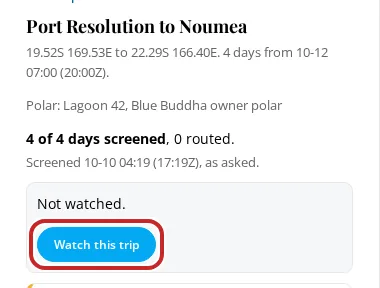
Above the cards, Watch this trip starts the watch described under Stage 1.
Under the cards, Screen again screens every day on the newest ensembles, and Rescreen with my current polar appears when you've changed your polar in Settings since the trip was screened. A trip keeps the polar it was screened with until then, so its verdicts don't change under it.
Long passages: forecast, then climatology
The ensembles reach 15 to 16 days. A passage that ends inside them is screened as described above. A longer one is screened on the forecast as far as it reaches and on climatology after that, and the router does it by itself. Where the router holds the climatology, the planner takes passages up to 5,000 nm.
Each day card says how many days of its passage are on each:
Days 1 to 15 forecast; the last 5 days (Oct 27 to 31) are climatology for October, a likelihood for the month, not a forecast.
It counts the days, so you can tell five days of climatology from five hours. The first of the climatology days can be partly forecast.
On the days after the forecast ends, each ensemble member sails in the month's typical weather in place of a forecast. The wind and seas come from ERA5, the European reanalysis for the Copernicus Climate Change Service, 1995 to 2024, gathered for each month and each 1 degree of ocean. How often the wind reaches 15, 20, 25, 30, 34 and 41 kt, how high the seas get and where they come from are all in it. A member that is windy at the end of the forecast stays windy for about a day, then settles into the month's range. The rules are fixed, so the same trip screened twice on the same runs gives the same answer, and they're written out under How this was made in the brief.
A verdict that rests on climatology says how likely a limit is for that month. It doesn't forecast anything. The reason keeps the two apart, and says when the climatology days are what set the verdict: On the forecast days alone this day is Go; the climatology days set the verdict. Climatology doesn't know this year's pattern, and ERA5's grid under-represents the strongest winds and the steepest seas.
You set nothing. Each new ensemble run reaches further, so the same trip screened tomorrow says Days 1 to 16 forecast and the last 4 days, and a watched trip is screened again after each run. A long passage over 10 departure days takes a few minutes to screen. Wherever the climatology is used, the day, the brief and its PDF carry ERA5's credit: Contains modified Copernicus Climate Change Service information 2026.
One day: route it, watch it, brief it
Tap a card to open the day. It shows the full reason and the numbers behind it: the passages past your wind and wave limits, each wave model's height, period to height and steepness, the comfort, a chart of the wind's spread along the path, a table for each ensemble, the three models' runs, and how old each forecast is.
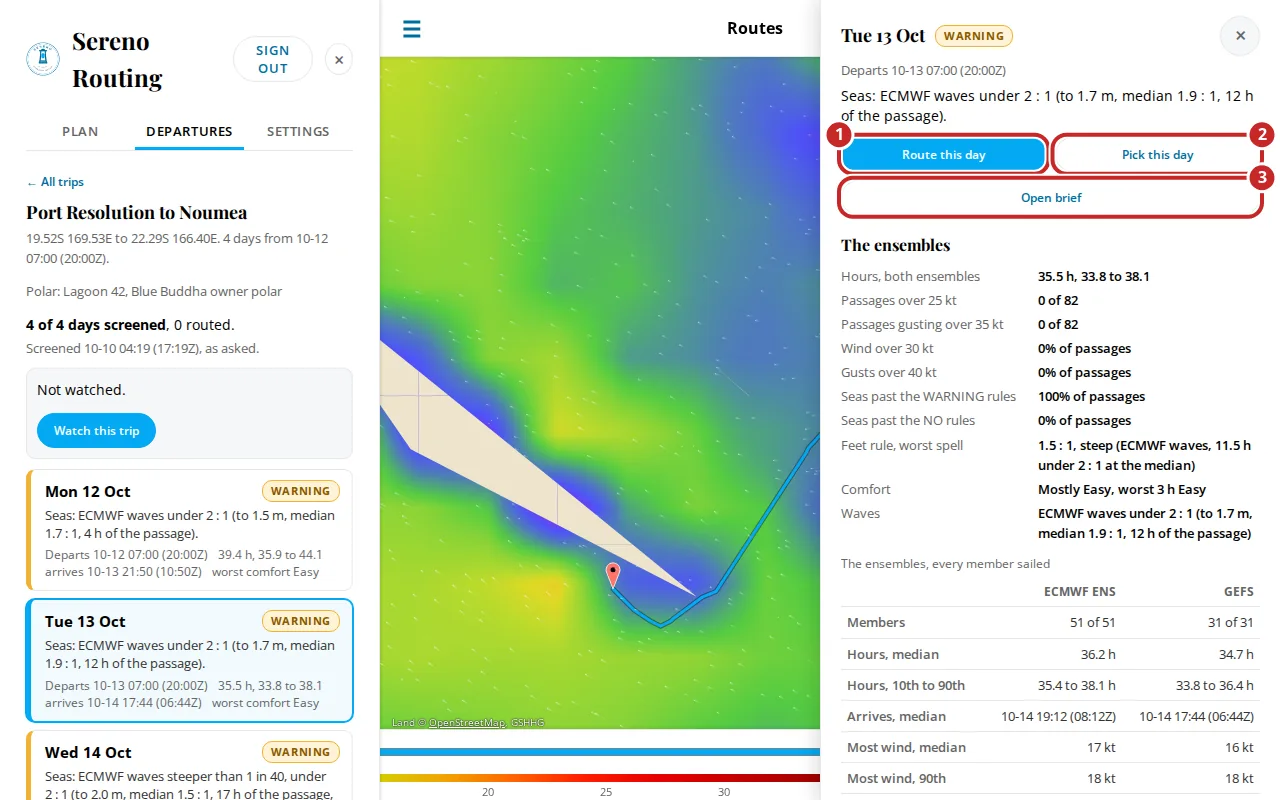
- Route this day queues an ordinary route for the trip's start, finish and that day's departure, on the trip's models and polar. It appears in your routes list, and opens like any other. The day then says how many times it's been routed.
- Pick this day watches this day alone, and keeps it screened as new forecasts arrive (Stage 2, below). On a day you're already watching, the button reads Stop watching.
- Open brief builds the passage brief PDF (see The passage brief).
A route made from a day shows a Departures panel beside it, with the trip's days, and its Data face adds Risk and Brief tabs.
Watch departures from a route
A route you've already made can become a watched trip. On a finished route, tap Watch departures: on the web it's beside Edit route on the map, on the Android app a button on the route's map, and on the iPhone the binoculars in the route's top bar. The New trip form opens filled in from the route:
- its name, start and finish, and the models it ran on
- 4 departure days
- the route's departure as the earliest. If that's more than 6 hours past, it moves forward a day at a time until it isn't.
Change anything you like, then tap Screen and watch. The trip is screened and watched at once, and opens in Watching. The route itself isn't changed. Only one trip is watched at a time, so if another was watched, it says Watching this trip now, in place of …. A route with waypoints is screened direct from start to finish, and the form says so.
Storms and disturbances on a day
Each screened day is checked against the same two things as a route (see Storm and disturbance notes), along the median passage: the safe path, timed from the departure over the median passage time.
- Official storms: the day is noted when the boat would be within 200 nm of where a center's forecast track puts a storm at that time.
- Upper air disturbance: the day is noted when the passage comes within 250 km (135 nm) of an indicated disturbance in the newest ECMWF or GFS upper-air run, at a step within 12 h of the boat being there. One both models show is named once, with both models. Weaker signs don't reach the day; the brief lists them in its details.
The note has its own line on the day card and in the day's sheet, apart from the reason. A disturbance's line is the note itself, with its numbers, for example An upper air disturbance is indicated in ECMWF and GFS within 70 nm of the route near 14S 172W, Wed to Fri: spin of 9.1e-5 /s at 850 hPa, CAPE up to 1,850 J/kg, 700 hPa humidity of 78% and wind shear of 9 m/s, its spin strengthening. It's one indication among several, not a forecast, and the decision is the captain's. The verdict is the planner's own, from your limits and comfort, and a note doesn't change it: a Go day can carry a storm note. The brief carries the same notes (see The passage brief). Whether to sail is the captain's decision.
Watching
A watch has two stages, and you can watch one passage at a time. First you watch the whole trip, to see which day comes good. Then you pick the day you'll leave, and the watch narrows to it. Watching another trip asks first: You're watching Port Resolution to Noumea, the whole trip. Watch this one instead? Picking a day on the trip you're already watching asks nothing.
In either stage the router screens again each time either ensemble has a new run. GEFS and ECMWF ENS each run four times a day, at 00z, 06z, 12z and 18z, so a watched trip is screened up to about four times a day. ECMWF's 06z and 18z runs reach 6 days rather than 15: a departure whose passages all end inside one is sailed on it, and any other on the 00z or 12z run before it. Each screening is logged with the runs that set it off and what changed. A router that reads the ensembles from Open-Meteo rather than its own copy screens again after the 00z and 12z runs only. The Departures panel says which rule applies.
Stage 1: watching the trip
Open a trip and tap Watch this trip. You don't pick a day. A screening already covers every day, so each new run rescreens all of them, and the watch tells you about progress: whether the best day has changed, and whether any day has become Go or stopped being Go.
The best day is the first Go day. If no day is Go, it's the first Warning day. Days count from the earliest departure, and a day with no verdict, or a No, is never the best. The line under the trip's name states it: Watching the whole trip. Best: Fri 16 Oct, Go. 2 of 5 days Go. The watch ends once the trip's last departure has passed.
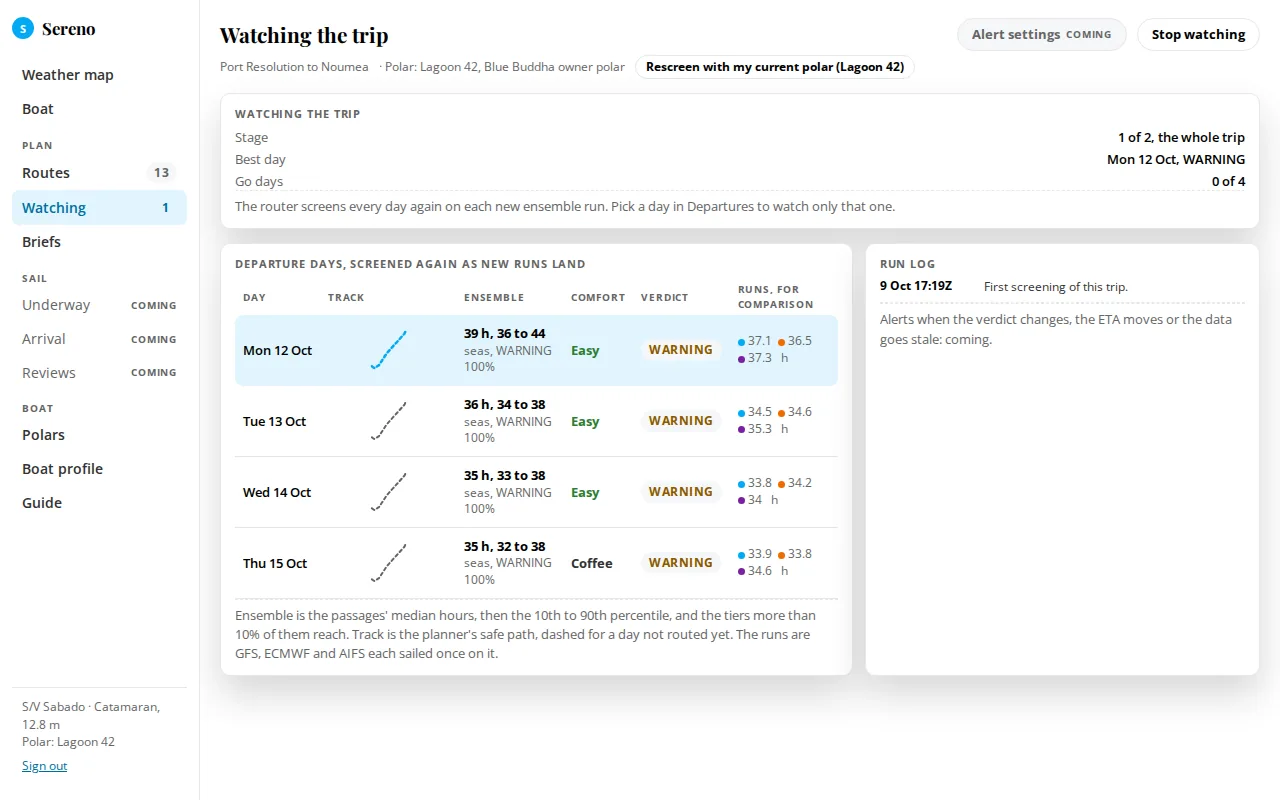
The Watching page, from the Boat page's side panel, shows the trip in this stage: the stage, the best day, the Go days, the departure days side by side with the best day chosen, and the trip's run log.
Stage 2: watching the chosen day
When one day looks right, open it and tap Pick this day. The watch narrows to that day. It keeps screening on each new run, and the phone tells you when the day's verdict changes. The watch ends once that day's departure has passed. Stop watching ends it sooner, and Watch this trip widens it back to the whole trip.
The Watching page then shows the chosen day:
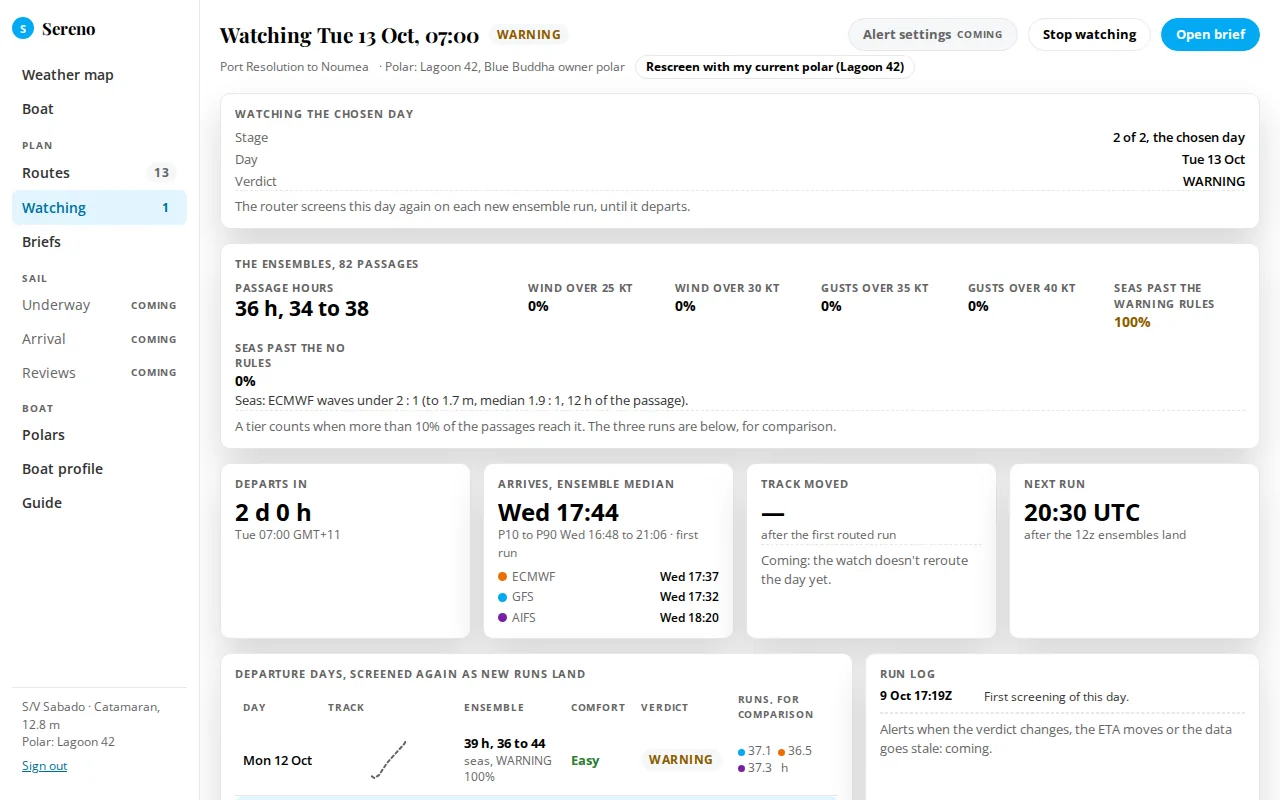
- The ensembles: passage hours and the share of passages past your wind and wave limits and at Sick.
- Departs in, Arrives, ensemble median (with the 10th to 90th percentile and each model's arrival), and Next run: when the next screening is due.
- Departure days, screened again as new runs land: the trip's days side by side, so you can see whether a neighboring day now looks better.
- Run log: each screening and what changed, with the stage the watch was in.
The bar has Stop watching and Open brief.
Passage watch notifications on the Android app
While a trip or day is watched, the Android app checks it about once an hour when the phone has a connection, and posts a notification on its own Passage watch channel. The words come from fixed templates on the screening's numbers, so the same screening always reads the same.
In stage 1 the notification tells progress, compared with the last screening the phone saw:
- Port Vila to Noumea: Fri 16 is now Go (was Warning). Best: Fri 16. 2 of 5 days Go. A day became Go, or stopped being Go.
- Port Vila to Noumea: Best day changed from Thu 15 to Fri 16. 0 of 5 days Go. The best day changed, and no day became or stopped being Go.
- Port Vila to Noumea: screened again on the GEFS 06z run. Best: Fri 16, Go. 2 of 5 days Go. With Every new screening chosen, a screening where none of that moved.
In stage 2 it tells the chosen day's verdict:
- Fri 16 Port Vila to Noumea: was Go, now Warning. 18% of passages pass your 25 kt wind limit from Sat 03:00.
- Fri 16 Port Vila to Noumea: screened again on the GEFS 06z run, still Go. With Every new screening chosen.
Settings, Passage watch chooses Only when the verdict changes (the default) or Every new screening. In stage 1, the default means the best day changed or a day became or stopped being Go. Tapping a stage 1 notification opens the trip, with its days and the best day marked. Tapping a stage 2 notification opens the day, with its verdict, its numbers, the runs it was screened on and the run log.
The Android app sets the watch itself. Watching in the top bar shows the watched trip at the top, with its best day and Stop watching, and Your trips below it, each with Watch. Open a trip and tap a day, then Pick this day, to watch only that day. New trip makes a trip there, with the same fields as the web's: tap the start and the finish on the map, then the name, the earliest departure, the departure days and the models. Swipe a trip left to delete it; its screenings and watch go with it.
The app finds a watch set on the web when it's next opened, or within a day by its daily check. On Android 13 and later it asks once for permission to post notifications, the first time it finds a watch. The check stops when the watch ends or is stopped. Android's battery saver can hold it back, so a notification can come later than the hour. The iPhone and the web edition don't notify.